
Hear it. See it. Feel it.
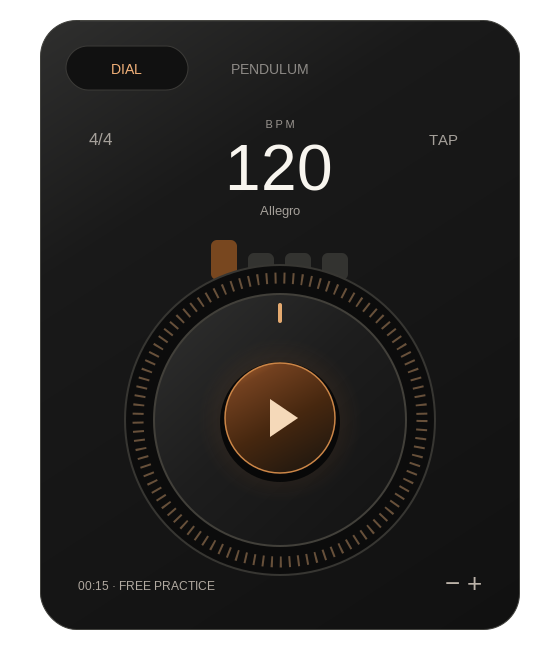
Turn the dial or tap to set your tempo. Follow each beat with the dial or pendulum, and shape your practice with custom time signatures, accents and subdivisions.
From a steady first beat to a confident performance. Find your own pace for everyday music practice with Metronome.
Keep your attention on the music.
Let your practice tools handle the details.
Turn the dial or tap to set your tempo. Follow each beat with the dial or pendulum, and shape your practice with custom time signatures, accents and subdivisions.
Build your timing with gradual tempo increases and silent-beat training. Link sections into a practice sequence, so every session starts with a clear goal.
Organize songs and setlists, save your favorite settings and look back at your practice history. Open the on-device tuner whenever you need to tune up.
Some sounds, themes and advanced practice features require a purchase. See the app and store confirmation for the specific offer.
You do not have to practice everything at once.
Start with the bar you want to get right today.
Choose your tempo, time signature and sound. Start at a speed you can play steadily.
Choose free practice, tempo training or a sequence of sections to suit your goal.
Save your settings, review your practice history and return to a familiar rhythm tomorrow.
You can use the basic metronome and on-device practice tools as a guest. Account services, product loading, purchases and purchase restoration require an internet connection. Some advanced features also require verification of an active entitlement.
Available plans may include premium sounds, themes, rhythm tools or training features. The app and store confirmation show the exact features, billing period, price and trial eligibility for each offer. Read the Subscription & Terms of Use before deciding to buy.
Manage automatic renewal through the App Store or Google Play account used to buy the subscription. After changing devices, use “Restore Purchases” on the app’s purchase screen. Uninstalling the app, signing out or deleting local records does not cancel a store subscription.
Songs, presets, practice settings and history are primarily stored on your device. Signing in does not automatically upload all of this content. The app sends analytics events about feature use and practice duration; see the Privacy Policy for details.
Download Metronome from the official store for your platform. The store page shows the current version, pricing and device requirements.
Application ID · my.metronome.app
Open the official store page for your platform to download Metronome.